 Cupie
Best apps 2026
Best apps for long distance couples in different time zones (2026)
Quick answer
As of October 2026, the best apps for long distance couples in different time zones are Cupie for live calls with games plus a two-clock time zone widget, Long Goodbye for finding good hours to call, Cupla and TimeTree for a shared calendar, Marco Polo for video messages while your partner sleeps, and Between, Agapé, Locket, Widgetable and Couple Joy for staying in touch between calls. In our 2026 data, 32.1% of Cupie couples call across time zones and the busiest hour is 10 to 11 pm local time.
Open the free Time Zone Converter and Call Planner
Updated October 2026. The best setup for a long distance couple in different time zones is two kinds of app: one for live time together in the hours you share, and one for the hours you don't. For live time, Cupie is a free video calling app for couples on iPhone and Android where you play games together live inside the call, and its iPhone widget shows both of your clocks side by side. For the gaps, pick an async app (video messages, daily questions or photo widgets) and a shared calendar. Below are 10 apps we checked, a simple way to pick a calling window for any time difference, and what our own data says about when couples call.
You are not unusual. In the Cupie data report (July 22 to October 19, 2026), 32.1% of couples had partners in different time zones, 12.8% were at least 3 hours apart and 7.4% were 6 or more hours apart.
What is a good couples app for staying connected across different time zones?
Here is the short list. Every app was live on the App Store, and on Google Play where we say Android, when we checked in October 2026. Ratings are US App Store ratings.
| App | Best for | Price (US, Oct 2026) | Platforms | Time zone help |
|---|---|---|---|---|
| Cupie | Playing games together on a video call | Free, no ads | iPhone, Android | Two-clock widget (iPhone), "Same time tomorrow?" after each call |
| Long Goodbye | Finding good hours to call | Free; Together+ $7.99/month, $59.99/year | iPhone, iPad, Mac | Shows when you are both awake and free, all week |
| Cupla | A shared couple calendar | Free; paid plans from $4.99/month | iPhone, Android | Both schedules side by side |
| TimeTree | A free shared calendar | Free; Premium $4.49 or $44.99 | iPhone, Android, web | One calendar you both edit |
| Marco Polo | Video messages while they sleep | Free; Marco Polo Plus $9.99 or $79.99 | iPhone, iPad, Mac, Android | Fully async: reply when you wake up |
| Between | A private chat and calendar for two | Free with ads; Plus $2.99/month | iPhone, Android, PC | Shared calendar and countdowns |
| Agapé | One daily question, answered any time | Free; Premium from $9.99/month | iPhone, iPad, Mac, Android | Answers wait until you both reply |
| Locket | Photos on their home screen | Free; optional Locket Gold | iPhone, Android | Your photo is waiting when they wake up |
| Widgetable | Playful shared widgets | Free; Premium $19.99/year | iPhone, Android | Distance widget, sleep widget |
| Couple Joy | Widgets plus daily questions | Free; Premium $12.99 to $39.99 | iPhone, Android | Distance widget, daily streak |
How we picked: we read the top pages for this question, checked every app's store listing for price, platforms and features in October 2026, and left out apps we could not verify. Cupie is our app. We put it first for one job, live time together on a call, and we list its limits too.
How do you adapt to different time zones in a relationship?
Most couples try to "find time" each day and end up with calls that happen at random, too late, or not at all. A fixed plan works better. Here is the one we suggest.
- Write down both weeks. For each of you, mark sleep, work or class, and commute. Do it in your own local time.
- Convert one week into the other's time. Now look for hours where you are both awake and free. That overlap is your calling window.
- Pick two or three fixed slots, not seven. A short weekday call you can keep beats a daily call you keep missing. Add one long weekend call.
- Take turns with the hard hour. If one of you has to stay up late or get up early, swap who does it each week, so it does not always fall on the same person.
- Put both clocks where you look. A two-clock widget on your lock screen stops the "wait, what time is it there?" math.
- Book the next call before you hang up. Ending each call with a time for the next one takes the guesswork out of it.
- Fill the gaps on purpose. Leave a video message, a photo or an answer to a daily question for your partner to find when they wake up.
Our longer long distance relationship tips cover visits, money and the hard weeks.
How do you pick a calling window for your time difference?
Use this table as a starting point. "Earlier" means the partner whose clock is behind (for example, New York is earlier than London). For your exact cities and hours, our free time zone converter and call planner does the steps above for you: it finds the hours you are both free, plans a fair weekly call and warns you before the clocks change.
| Time difference | Example | Best weekday window | Weekend tip |
|---|---|---|---|
| 1 to 3 hours | New York and Los Angeles (3h) | Evening for both: 7 to 9 pm for the earlier partner is 10 pm to midnight for the later one | Long call in the afternoon |
| 4 to 6 hours | New York and London (5h) | Late afternoon or early evening for the earlier partner, late evening for the later one (6 pm New York is 11 pm London) | Brunch call for one, dinner for the other |
| 7 to 9 hours | Los Angeles and London (8h) | Lunch break for the earlier partner, late evening for the later one (1 pm Los Angeles is 9 pm London). Or late night for the earlier partner, early morning for the later one | Saturday morning for the earlier partner is Saturday evening for the later one |
| 10 to 12 hours | New York and Manila (12h or 13h) | Morning for one, evening for the other (8 am New York is 8 or 9 pm Manila) | Rotate who gives up a lie-in |
| 13 hours or more | Los Angeles and Sydney (17 to 19h) | Treat it as 24 minus the gap, with a date change. 5 pm Los Angeles is 10 am to noon the next day in Sydney | Your Friday evening is their Saturday afternoon |
Daylight saving makes the gap move by an hour twice a year, and countries switch on different dates. Check the gap again in March, April, October and November.
What is the hardest time difference?
Most couples say 7 to 12 hours. With a small gap, your evenings overlap. With a 7 to 12 hour gap, one partner's evening lands in the other's working day or night, so someone is always calling from a lunch break, a dark bedroom or before coffee. Above 12 hours the gap starts to wrap around: 15 hours behaves like 9 hours with a date change.
The fix is the same every time: find one morning slot and one evening slot, and decide who takes which. It feels unfair if the same partner always stays up. Swap.
When do couples in different time zones actually call?
Late. In our data, the busiest hour for couple calls is 10 to 11 pm local time (15.5% of calls), and 4 in 10 calls start between 9 pm and midnight. Mornings are almost empty: just 1.6% of calls start between 5 and 9 am. Sunday is the biggest calling day and Friday is the quietest.
What this means for you: if your gap is 7 hours or more, one of you is probably calling outside that 9 pm to midnight comfort zone. That is normal. The early morning call is rare, so it can feel special if you treat it like a coffee date. The full numbers and method are in the Cupie data report.
Which app helps long distance couples across time zones? The full list
1. Cupie: best for playing games together on a call
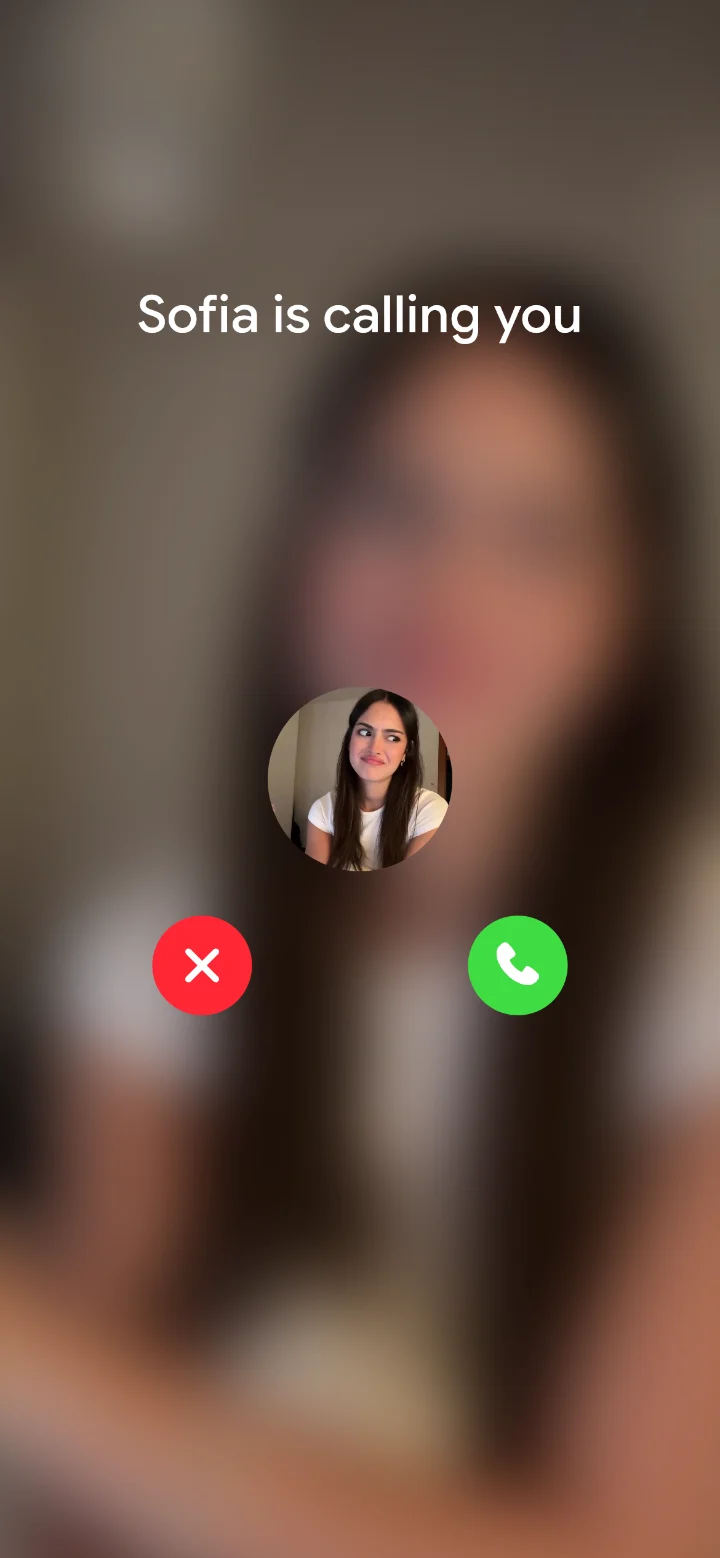
Cupie is a free video call app for couples. You call your partner inside the app, pick a game, and it plays live on both phones while you see each other. When your overlap is short, that matters: you get a real shared moment, not just a status update.
Five games are open from day one: Get Closer (a question deck), Minigolf, Four in a Row, Tic Tac Toe and Truth or Dare. Nine more, including Match, Pool, Cup Pong and Chess, open as your daily call streak grows. There are also 239 couple quizzes, with a new one every morning, so you can each answer on your own time and see your match.
For time zones specifically:
- Time zones widget (iPhone): your time and your partner's, side by side. The lock screen version says "9h ahead of you" or "behind you".
- Distance widget (iPhone): how far apart you are, from coarse location.
- "Same time tomorrow?": at the end of a call you can set up the next one.
- Streak with Streak Freeze: a daily call streak, with a freeze for the days your schedules clash.
- Couple chat: a private chat for the two of you, for the hours you can't call.
- Price: free to download, no ads.
- Platforms: iPhone (iOS 15 or later) and Android phones.
Honest limits: both of you need the app. It is phone only: there is no web, desktop or iPad-first version. The two-clock and distance widgets are on iPhone only; Android has a partner widget. It is newer and smaller than Between or Marco Polo.
2. Long Goodbye: best for finding good hours to call
Long Goodbye is a small new iPhone app built for long distance couples. Its home screen widget shows your partner's local time, and a "Good hours to call" view shows when you are both awake and free for the whole week, with both clocks side by side. It also counts down to your next visit, a deployment homecoming or the end of a visa wait.
- Price: free to start. Together+ is $7.99 a month, $59.99 a year or $99.99 lifetime in the US App Store.
- Platforms: iPhone, iPad and Mac. No Android app.
- Limitation: it is very new, with only a handful of ratings (3.7 stars from 3), and it does not do calls itself.
3. Cupla: best shared calendar made for couples
Cupla is a couples calendar. It syncs with Apple, Google and Outlook calendars and shows both of your schedules side by side, so you can spot free time. It also has date requests, shared to-do and grocery lists. It has 4.7 stars from about 2,300 ratings.
- Price: free, with paid plans listed from $4.99 a month or $34.99 a year.
- Platforms: iPhone and Android.
- Limitation: one reviewer calls the interface busy, and it is a planning tool, not a way to spend time together.
4. TimeTree: best free shared calendar
TimeTree is a general shared calendar with 4.9 stars from about 93,000 ratings. You both see and edit the same events, and you can use it in a web browser too. It is a good free way to keep visits, exams and "call at 8" in one place.
- Price: free, with TimeTree Premium (listed at $4.49 and $44.99) for no ads and extra views.
- Platforms: iPhone, Android and web.
- Limitation: not built for couples, and reviewers mention sync delays and ads on the free plan.
5. Marco Polo: best for video messages across big gaps
Marco Polo is a video messenger, like a walkie talkie with video. You record a message, and your partner watches and replies when they wake up. With a 10 hour gap, that turns dead hours into a back and forth. It has 4.8 stars from about 2.2 million ratings.
- Price: free, with Marco Polo Plus (listed at $9.99 and $79.99).
- Platforms: iPhone, iPad, Mac and Android.
- Limitation: long time users say features moved behind the subscription. It is not a couples app and has nothing to do together.
6. Between: best private chat and calendar for two
Between is a private messenger for two people with a shared photo album, a shared calendar and anniversary countdowns. The listing mentions a free call feature and a PC version. It has 4.8 stars from about 21,000 ratings.
- Price: free with ads. Between Plus is $2.99 a month, $24.99 a year or $26.99 lifetime.
- Platforms: iPhone, Android and PC.
- Limitation: reviewers call it mostly a messaging app and ask for games and shared activities.
7. Agapé: best daily question you answer on your own time
Agapé sends one question a day. Your answer stays hidden until your partner answers too, which works well when one of you is asleep. There is an opt-in long distance category, for example "What do you miss most about your partner when you are not together?" It has 4.8 stars from about 26,000 ratings.
- Price: free, with Premium listed from $9.99 a month, $19.99 to $99.99 a year, or $199.99 lifetime.
- Platforms: iPhone, iPad, Mac and Android.
- Limitation: reviewers say Premium is expensive and some questions repeat.
8. Locket: best for a photo waiting on their home screen
Locket puts a live photo widget on your home screen. Snap a picture of your lunch, and it is on your partner's screen when they wake up. You can add up to 20 friends. It has 4.8 stars from about 586,000 ratings.
- Price: free, with optional Locket Gold.
- Platforms: iPhone and Android.
- Limitation: it is built for friend groups, not couples, and sent photos can't be deleted.
9. Widgetable: best playful widgets
Widgetable has shared widgets for friends and couples: a distance widget, virtual pets you raise together, a sleep widget and more. It has 4.9 stars from about 388,000 ratings. The listing does not mention a time zone widget.
- Price: free, with Premium at $19.99 a year or $4.99 a month, plus small paid items like pet eggs and diamonds.
- Platforms: iPhone and Android.
- Limitation: reviewers complain about ads and slow free progress.
10. Couple Joy: best widgets and questions in one app
Couple Joy mixes couple widgets, a distance tracker on the lock screen, countdowns, daily questions and a streak. It has 4.9 stars from about 40,000 ratings.
- Price: free, with Premium listed at $12.99, $29.99 and $39.99, plus paid streak repairs.
- Platforms: iPhone and Android.
- Limitation: reviewers say the free tier is thin, and the listing does not mention a time zone widget.
Which app should you pick for your time difference?
- Up to 6 hours apart: you can share evenings, so put your energy into the call itself. Cupie gives the call something to do; add TimeTree or Cupla for visits.
- 7 to 12 hours apart: pick fixed morning and night slots, check them in Long Goodbye or Cupie's two-clock widget, and use Marco Polo or Agapé for the hours in between.
- More than 12 hours apart: plan around weekends and the date change. A shared calendar avoids "wait, your Saturday or mine?"
- You mostly text: Between for a private chat, Locket for photos.
Comparing couples apps more broadly? See our best long distance relationship apps, the side by side Cupie vs Between vs Paired vs Widgetable comparison, and whether long distance relationship apps actually work. Need ideas for your shared hour? Try our long distance date ideas or long distance relationship games.
FAQ
What is a good couples app for staying connected across different time zones?
Use two kinds of app: one for live time together and one for the hours you can't talk. Cupie is a free video call app for couples on iPhone and Android where you play games together during the call, and its iPhone widget shows your time and your partner's side by side. For the rest of the day, an async app like Marco Polo, Agapé or Locket lets you leave something for your partner to find when they wake up.
How do you adapt to different time zones in a relationship?
Write down both of your weekly schedules, mark the hours you are both awake and free, and pick two or three fixed call slots from that overlap. Put both clocks on your home screen, take turns being the one who stays up late or gets up early, and fill the gaps with messages your partner can answer later.
What is the hardest time difference for a long distance relationship?
Most couples find 7 to 12 hours the hardest, because one partner's evening falls in the other's working day or night. Above 12 hours it starts to wrap around again: a 15 hour gap behaves like a 9 hour gap with a date change. With 7 to 12 hours, the usual fix is an early morning call for one partner and a late night call for the other.
What time do long distance couples usually call?
In our Cupie data from July to October 2026, the busiest hour for couple calls was 10 to 11 pm local time, and 4 in 10 calls started between 9 pm and midnight. Only 1.6% of calls started between 5 and 9 am, so if you can do mornings, you have the quietest slot to yourselves.
Is there an app that shows my partner's time zone?
Yes. Cupie's time zones widget on iPhone shows your time and your partner's side by side and says how many hours ahead or behind they are. Long Goodbye also shows your partner's local time and suggests good hours to call. On Android, Cupie has a partner widget but not the two-clock widget yet.
Do both partners need the same app?
For every couples app on this list, yes. Cupie, Long Goodbye, Cupla, Between, Agapé, Widgetable and Couple Joy all link two accounts, so you both install the same app. Marco Polo, Locket and TimeTree work with friends and family too, but your partner still needs an account.
How we made this page: researched and drafted with help from AI tools, then reviewed and edited by Niclas Illg against the sources below and the official app listings on October 30, 2026. Cupie is our own app, and we say so wherever we compare it.
Sources
- Cupie on the App Store
- Cupie on Google Play
- Cupie data report 2026
- Long Goodbye: Couple Widget on the App Store
- Cupla: Couples Shared Calendar on the App Store
- Cupla on Google Play
- TimeTree: Shared Calendar on the App Store
- TimeTree on Google Play
- Marco Polo on the App Store
- Marco Polo on Google Play
- Between on the App Store
- Between on Google Play
- Agapé on the App Store
- Agapé on Google Play
- Locket Widget on the App Store
- Locket Widget on Google Play
- Widgetable on the App Store
- Widgetable on Google Play
- Couple Joy on the App Store
- Couple Joy on Google Play